The IPTV player for Windows and Mac.
Like TiviMate, built for the desktop. Add your Xtream Codes login or M3U link and get a real TV guide, your whole movie and series catalog with posters, and playback that doesn't stall.
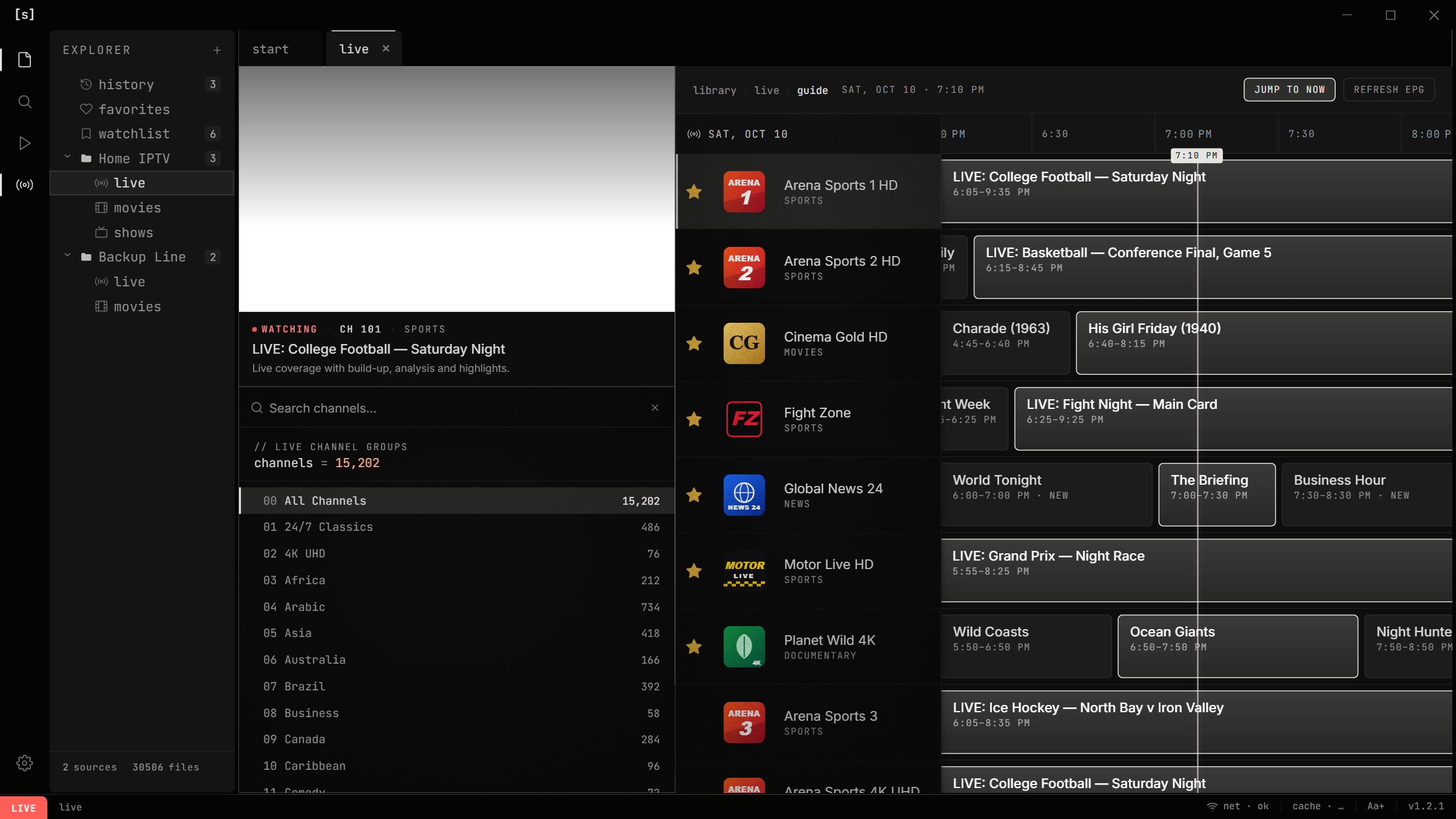
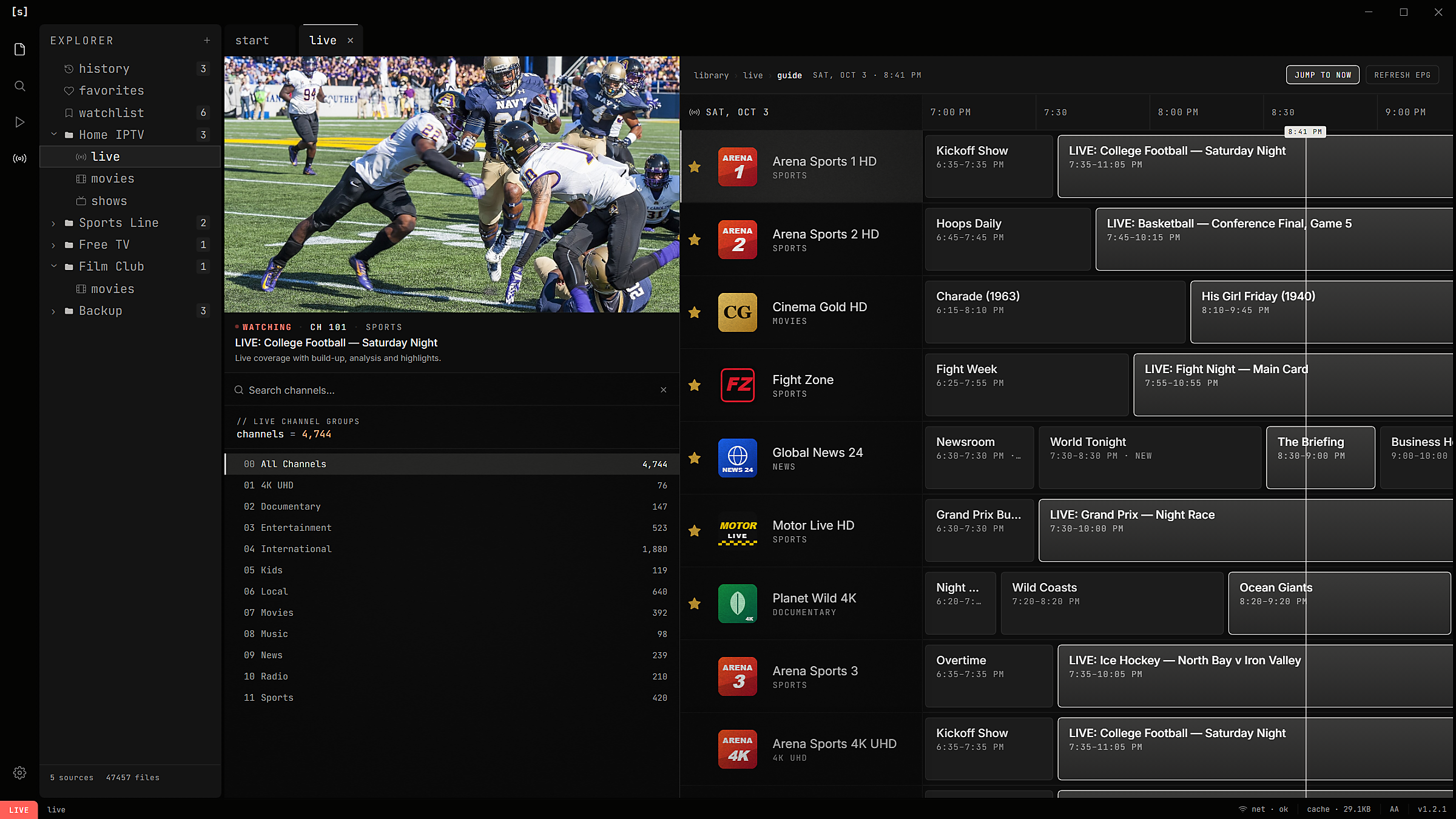
live tv that feels like tv.
Every channel your provider sends, with its logo, in the groups they send. What's on now and next. Click a channel and it plays right in the guide.
/find a channel by name
ctrl ↑↓flip channels like a remote
xmltvyour provider's guide, or any link
pick up where you left off.
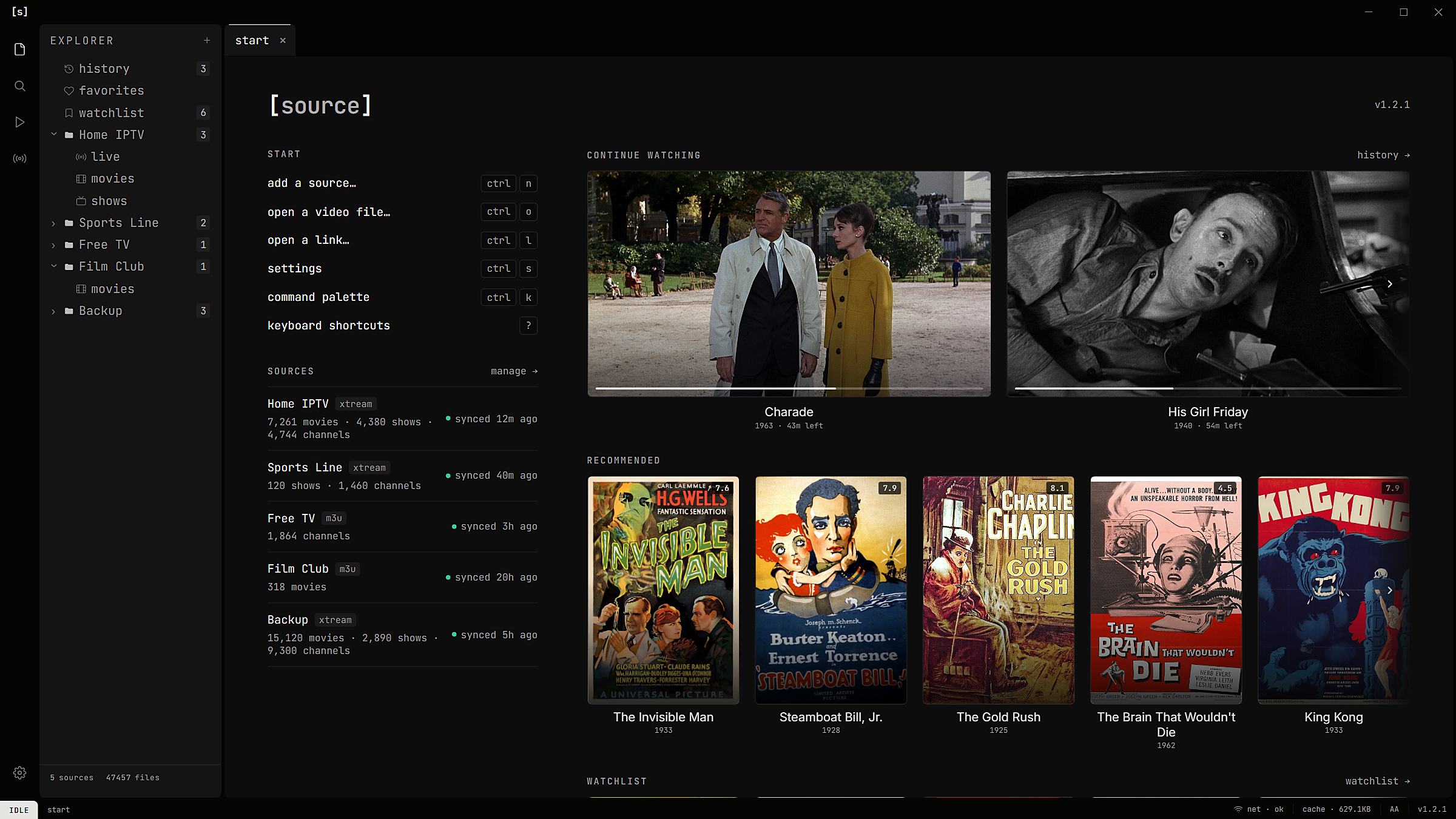
Continue watching opens on the frame you stopped at. Every provider, with when it last synced. Picks based on what you actually watch.
everything your provider sends. one place.
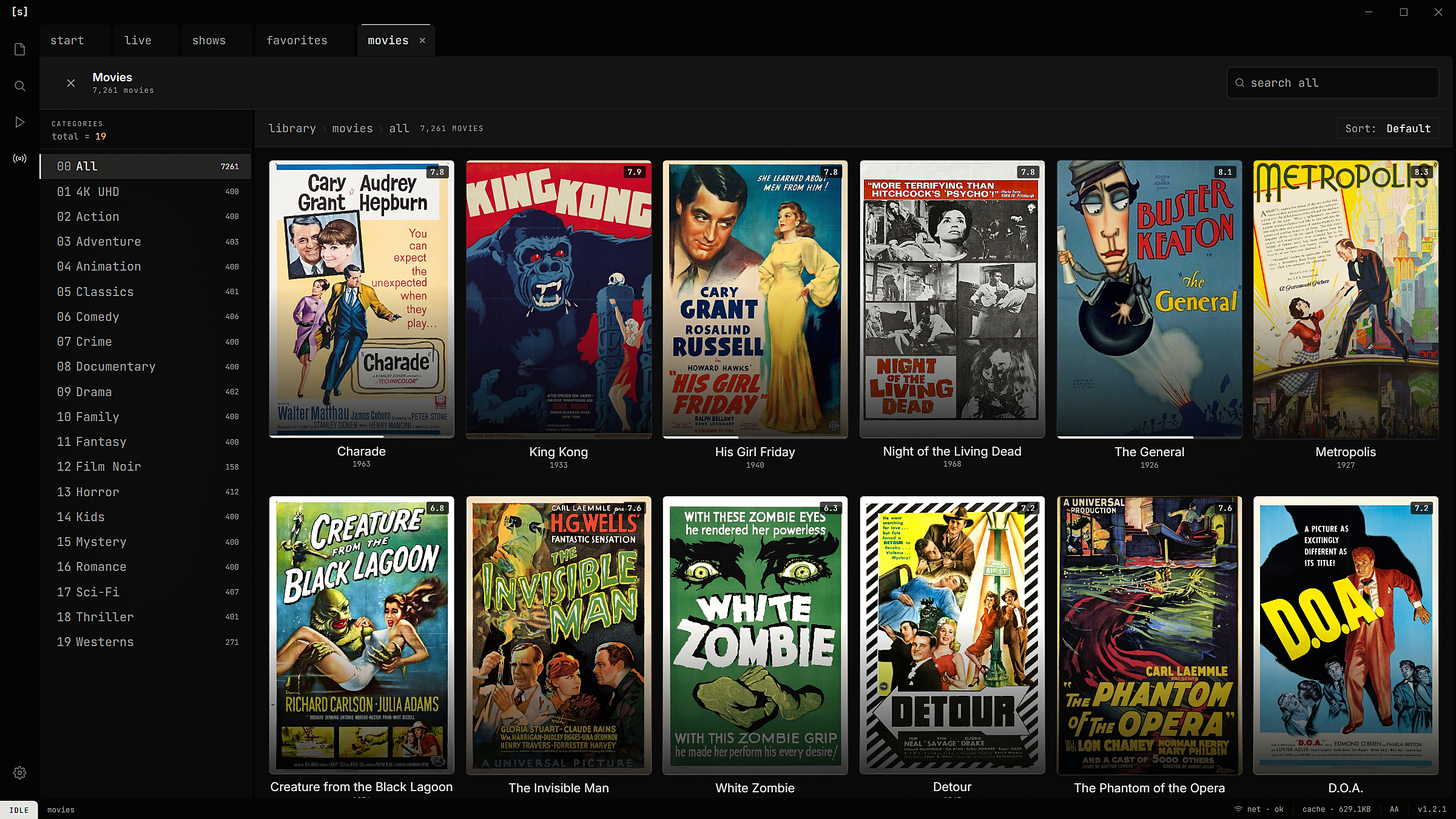
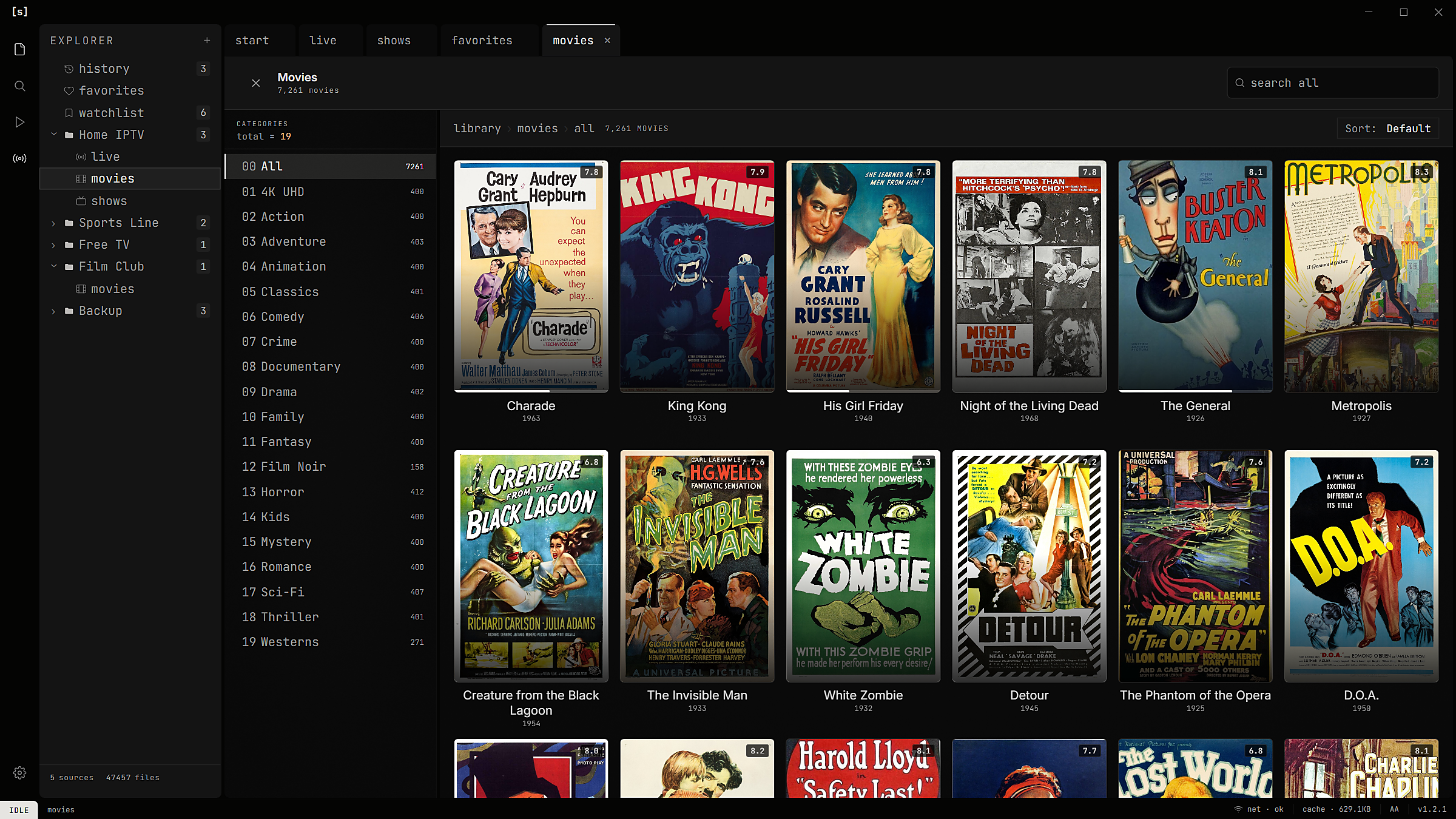
the whole catalog, with posters.
Movies and series from every provider, by category. A resume bar on everything you've started.
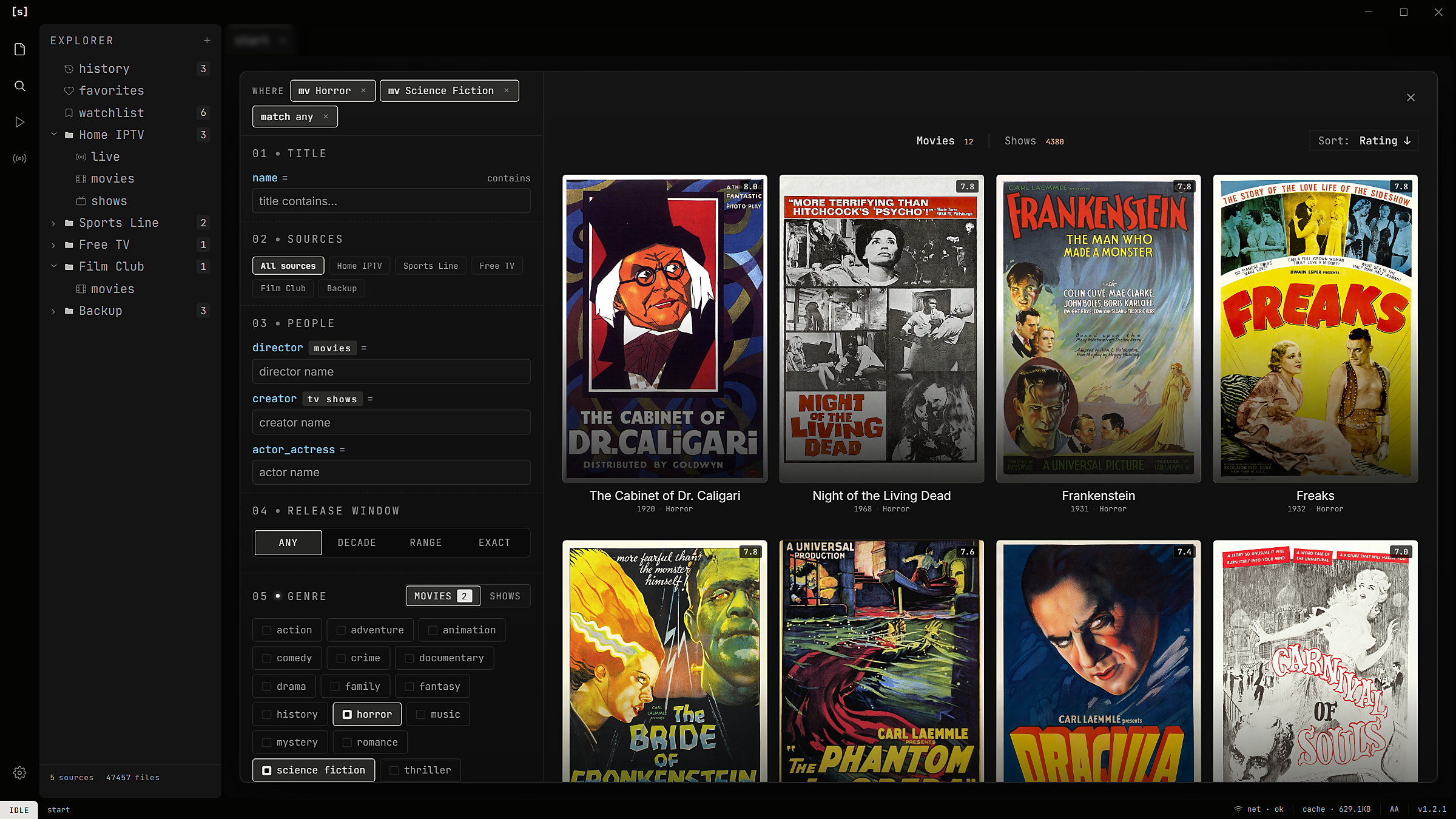
one search. every provider.
Genre, decade, director, actor and rating, across every playlist at once. Same movie on two providers? Pick the copy that plays.
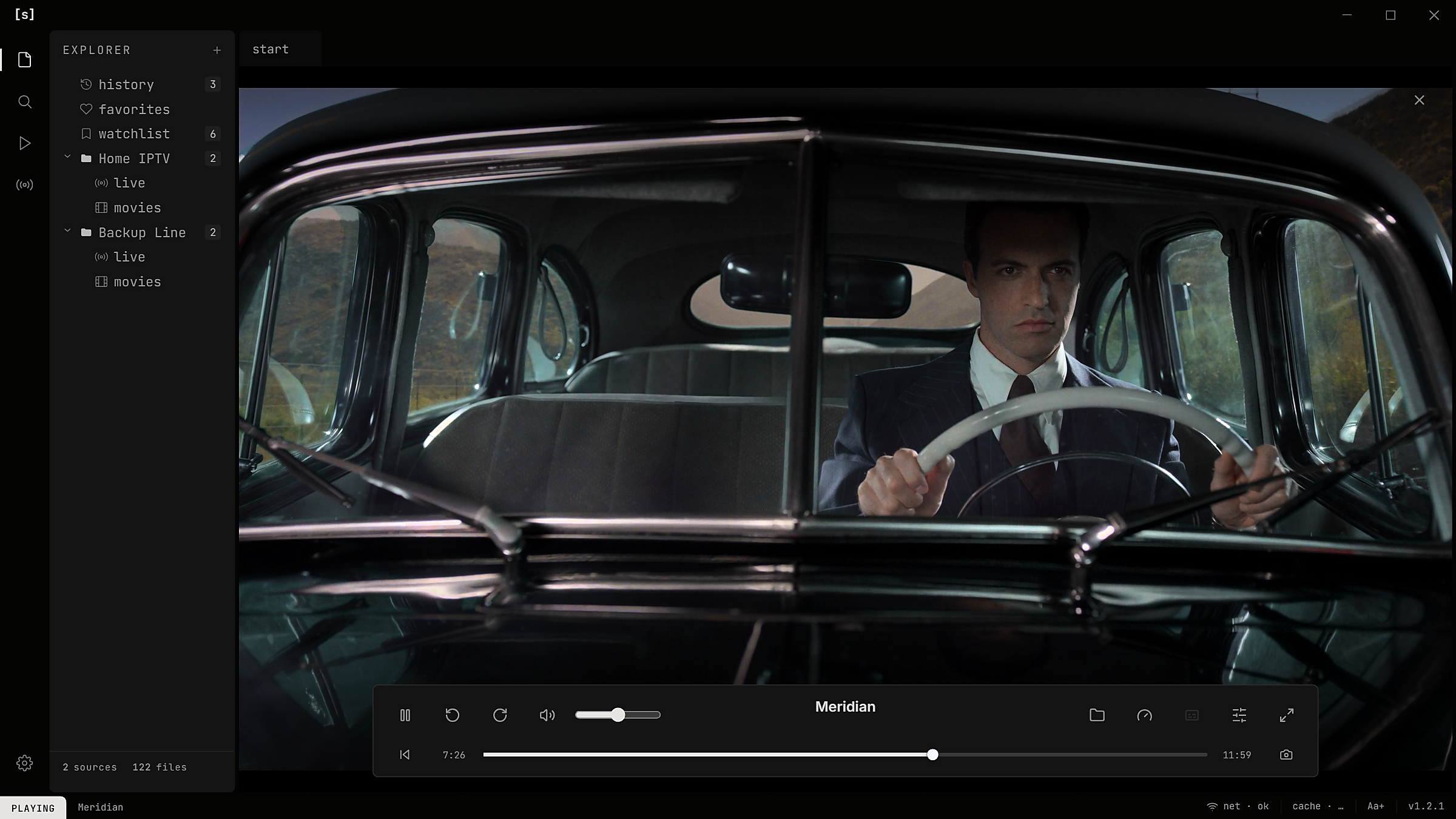
a player built on mpv.
4K, HEVC, TrueHD and DTS-HD, with HDR tone-mapped to fit your screen. The streams that stall in browser-based players just play.
always on top.
 LIVE
LIVE
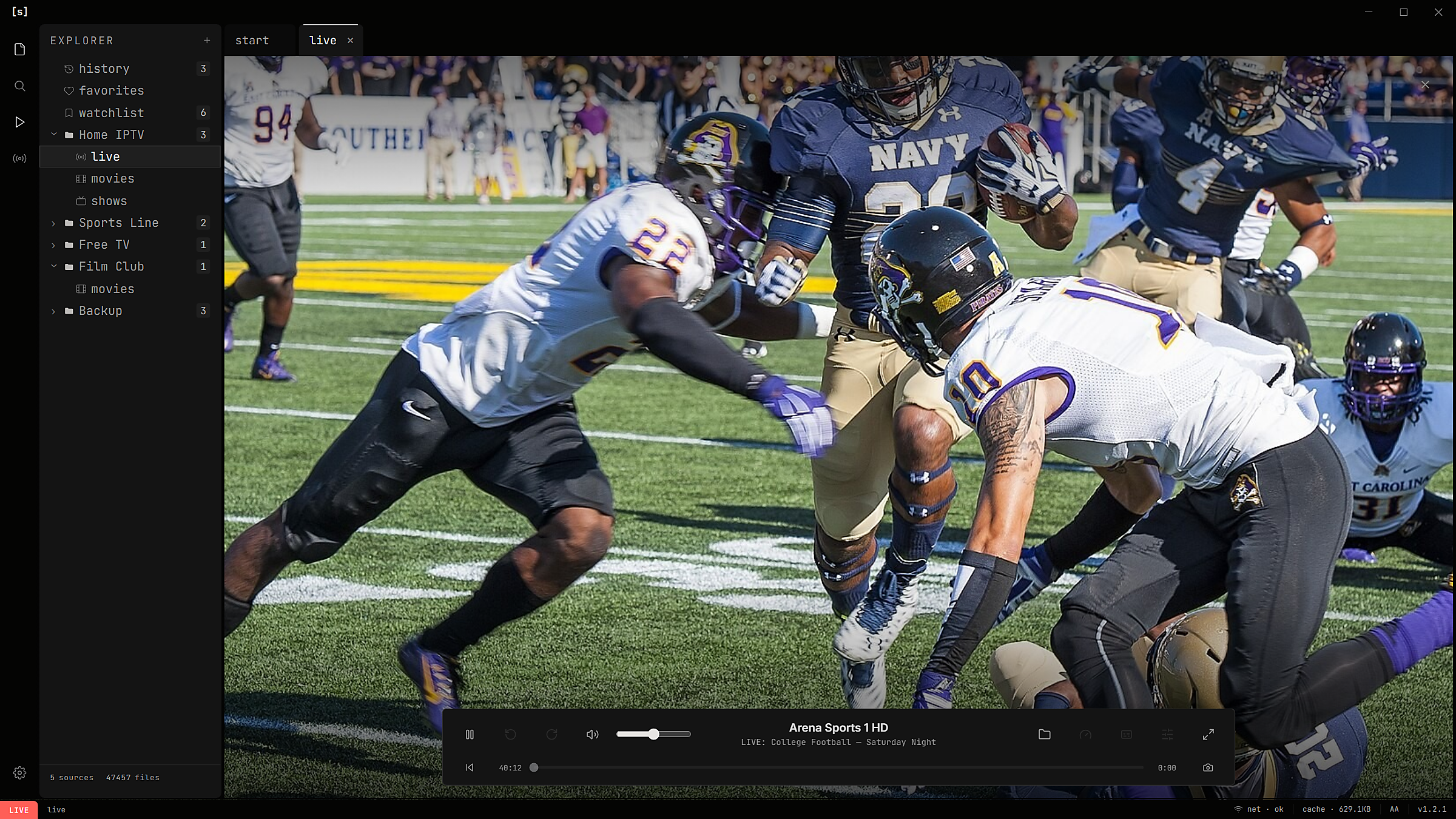
Full screen on the big monitor.
It stays on top while you browse, or while you “work”.
make it look like yours.
Start from one of nine built-in themes, then move the sliders: background, highlight, text, fonts, light or dark. Save it as your own. Pick the layout and how much fits on screen, too.
plays what your provider sends.
before you download.
Does it come with channels?
No. source is a player. Bring a playlist from your provider: an Xtream login or an M3U link.
Will it work with my provider?
If they gave you a server, a username and a password (Xtream Codes), or an M3U / M3U8 link, yes.
Can I add more than one provider?
Yes. Add as many as you have. They sit side by side, and search covers all of them.
Is there a TV guide?
Yes. It reads your provider's EPG, or any XMLTV link you add.
Can I watch on my TV?
Cast to a Chromecast or an AirPlay TV. Formats the TV can't play get converted on the way.
What about files I already have?
Add a folder or a NAS share. Files become titles with artwork, and episodes fold into shows.
Is it really free?
Yes. No account, no ads. Updates show up inside the app.
TiviMate, IPTV Smarters, or source?
TiviMate and IPTV Smarters are built TV-first. source is built for a computer: a mouse, a keyboard, a big screen, and picture-in-picture while you work. If you use one of them on your TV, source is the one for your desk.
What do I need?
Windows 10 or 11 (64-bit), or macOS 11 or later on Apple Silicon.
Does it work on Intel Macs?
Not yet. The Mac version is for Apple Silicon (M1 and later).
bring a playlist. press play.
Free for Windows and Mac. source never comes with channels, and never will.
# note — source ships no channels. Not even the boring ones. The channels, logos and schedules here are made up; the films are public domain, and the football footage and photo are from the US Navy. The still in 03.3 is a frame of Meridian by Netflix, converted from HDR, under CC BY 4.0. TiviMate and IPTV Smarters are trademarks of their owners; source is an independent project, not affiliated with either.